Features
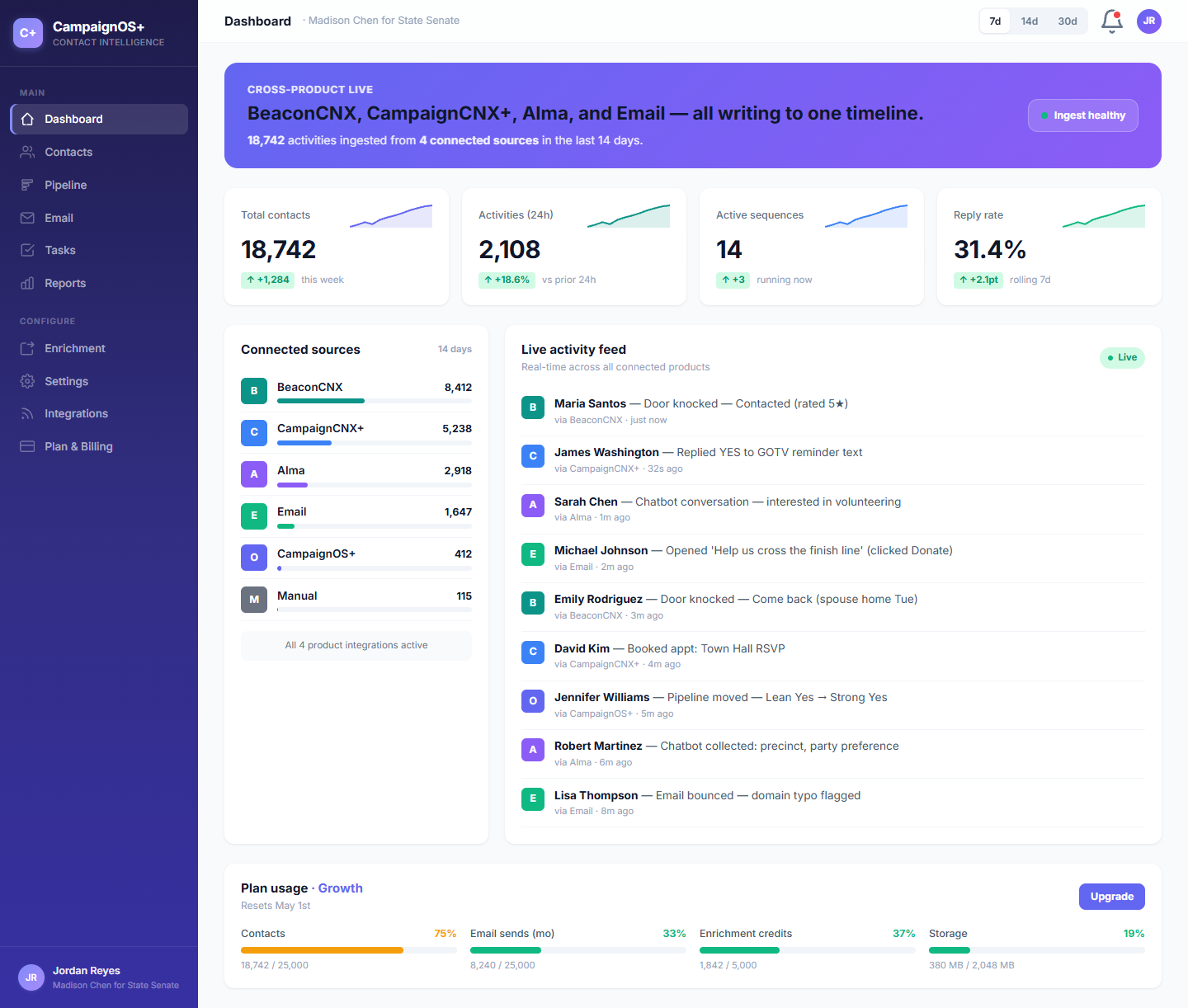
Contacts, pipeline, email, tasks, reports, enrichment: the basics of a real CRM, all built around one source-tagged event stream. Every door knock, every text, every chatbot lead lands on the same contact in chronological order. Below: the six things you'll spend most of your time in.
What's in the box
The unified timeline is the differentiator. The other five are the table stakes (pipeline, email, tasks, reports, enrichment) done well, in a clean idiom, sharing one contact record.
/01, FLAGSHIP
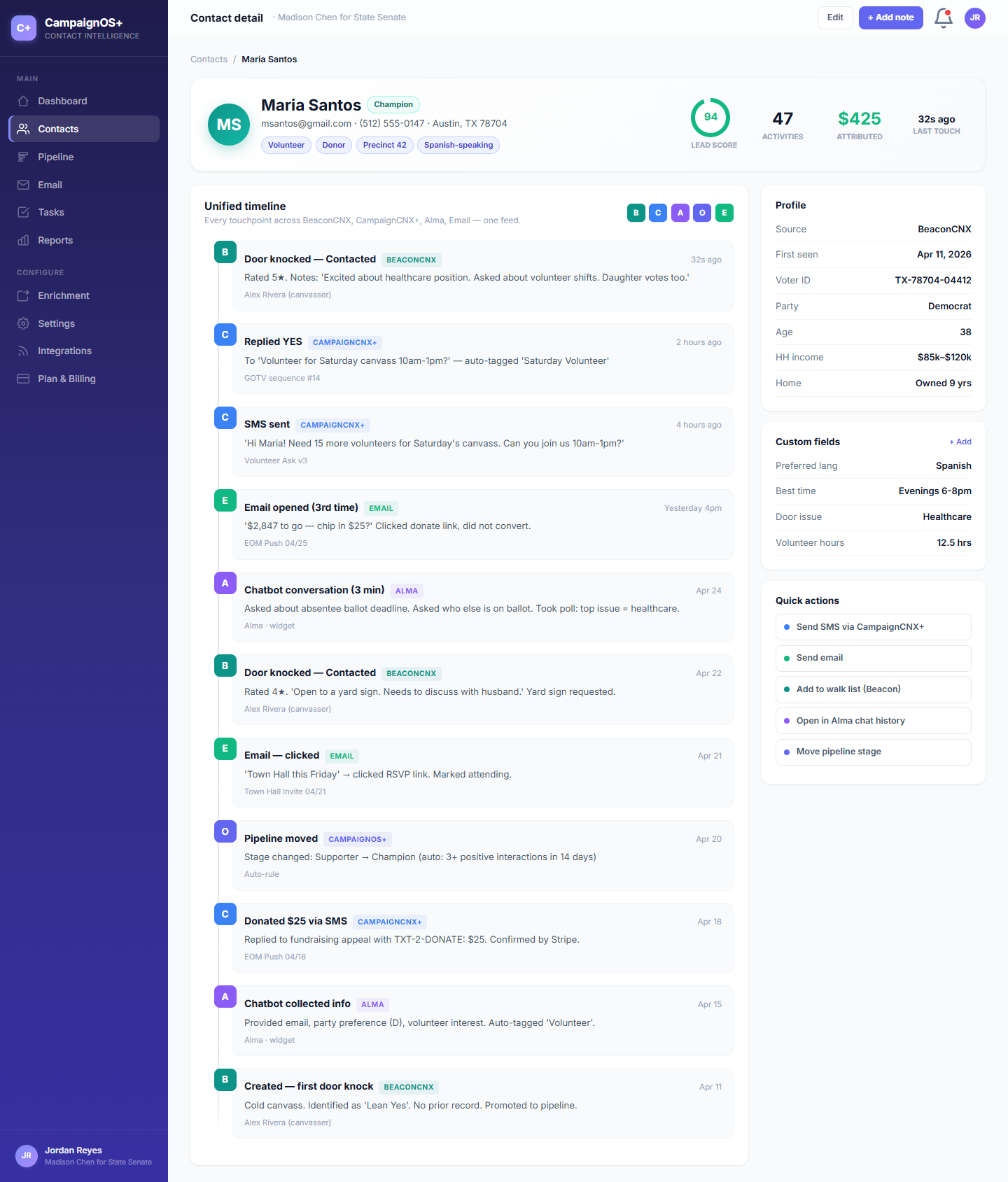
One contact, every event. Source-tagged with suite color dots. Door knocks, SMS replies, chatbot leads, email opens, donations, manual touches, all in chronological order.
/02, Move
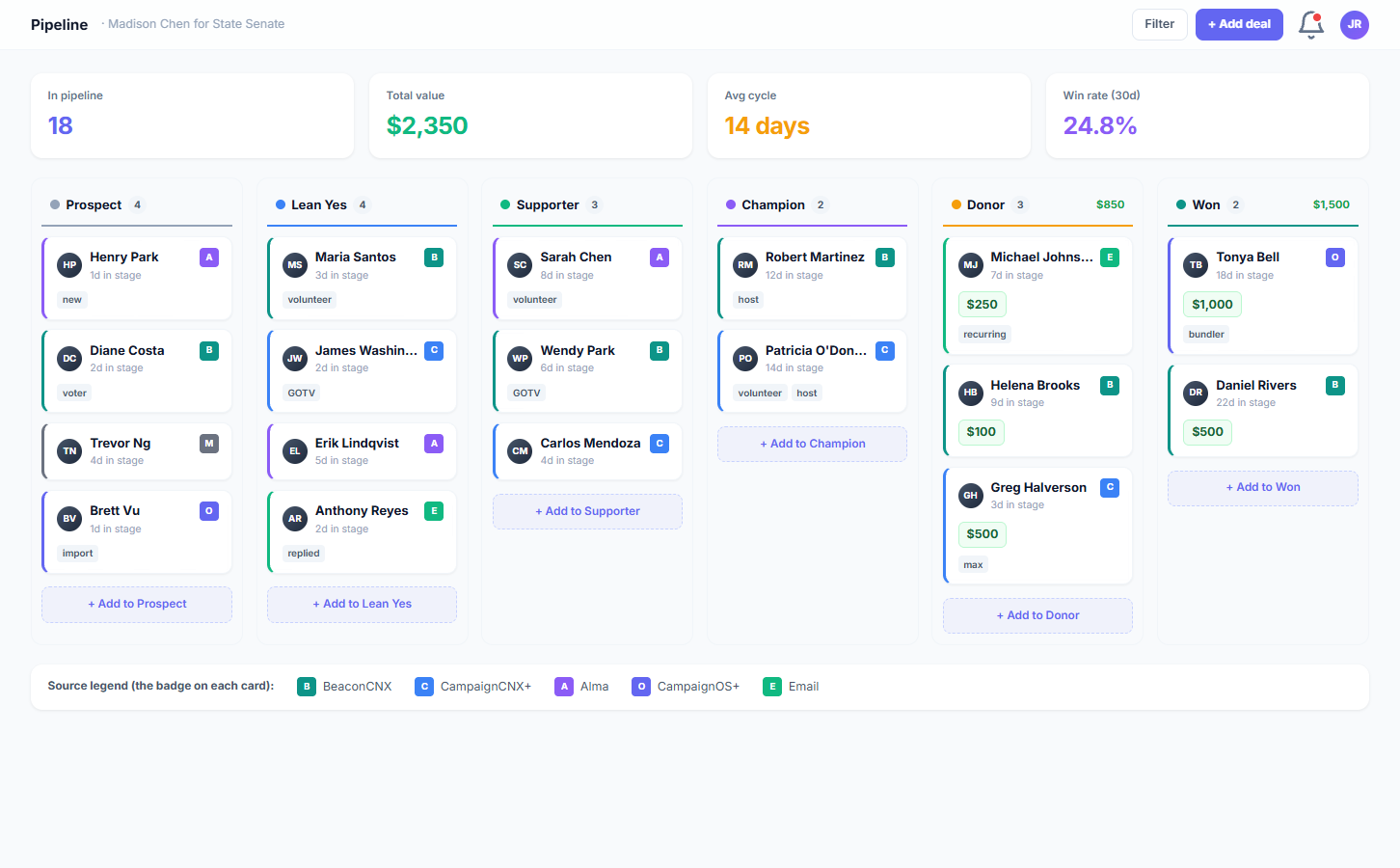
Drag-and-drop stages with whatever vocabulary fits: donor tier, lead score, fundraising ladder, sales stage. Stage moves write to the timeline alongside everything else.
/03, Send
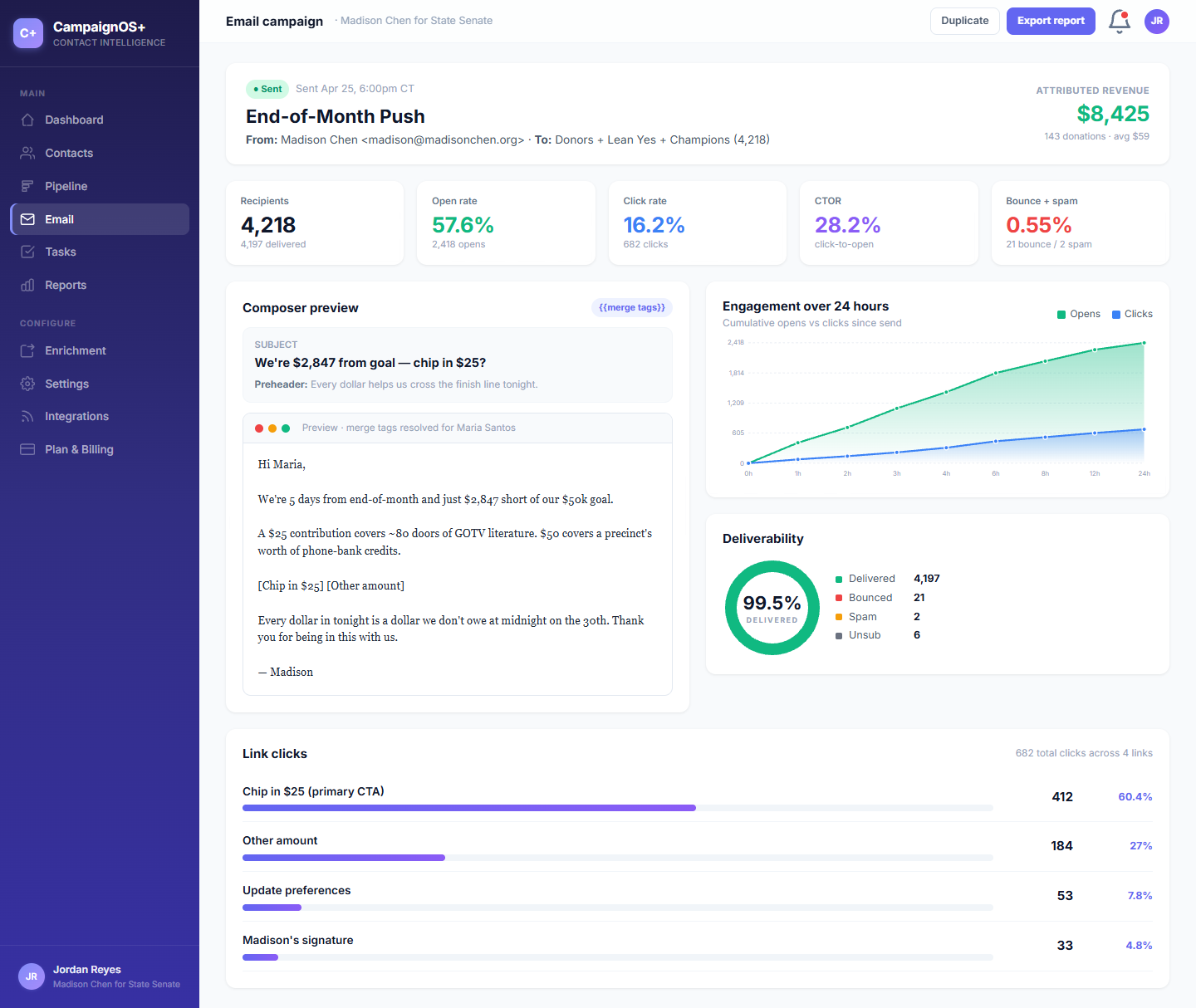
Compose, segment, send. Opens and replies arrive via SendGrid webhooks and join the unified timeline in the same idiom as a door knock or SMS reply.
/04, Do
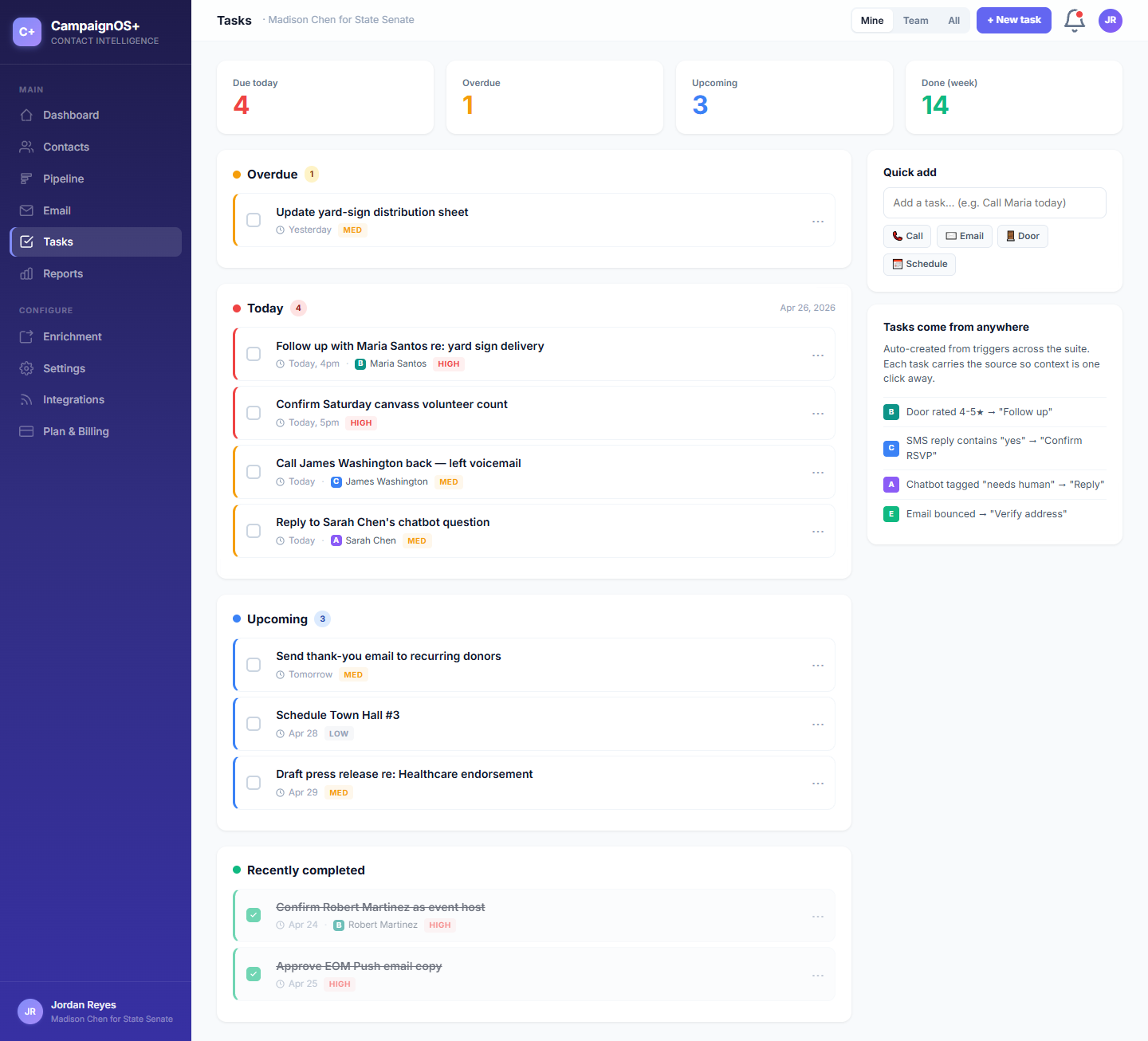
Per-contact follow-ups, assigned to a teammate, dated and tagged. Auto-created by the suite when a chatbot escalates or a sequence completes.
/05, Read
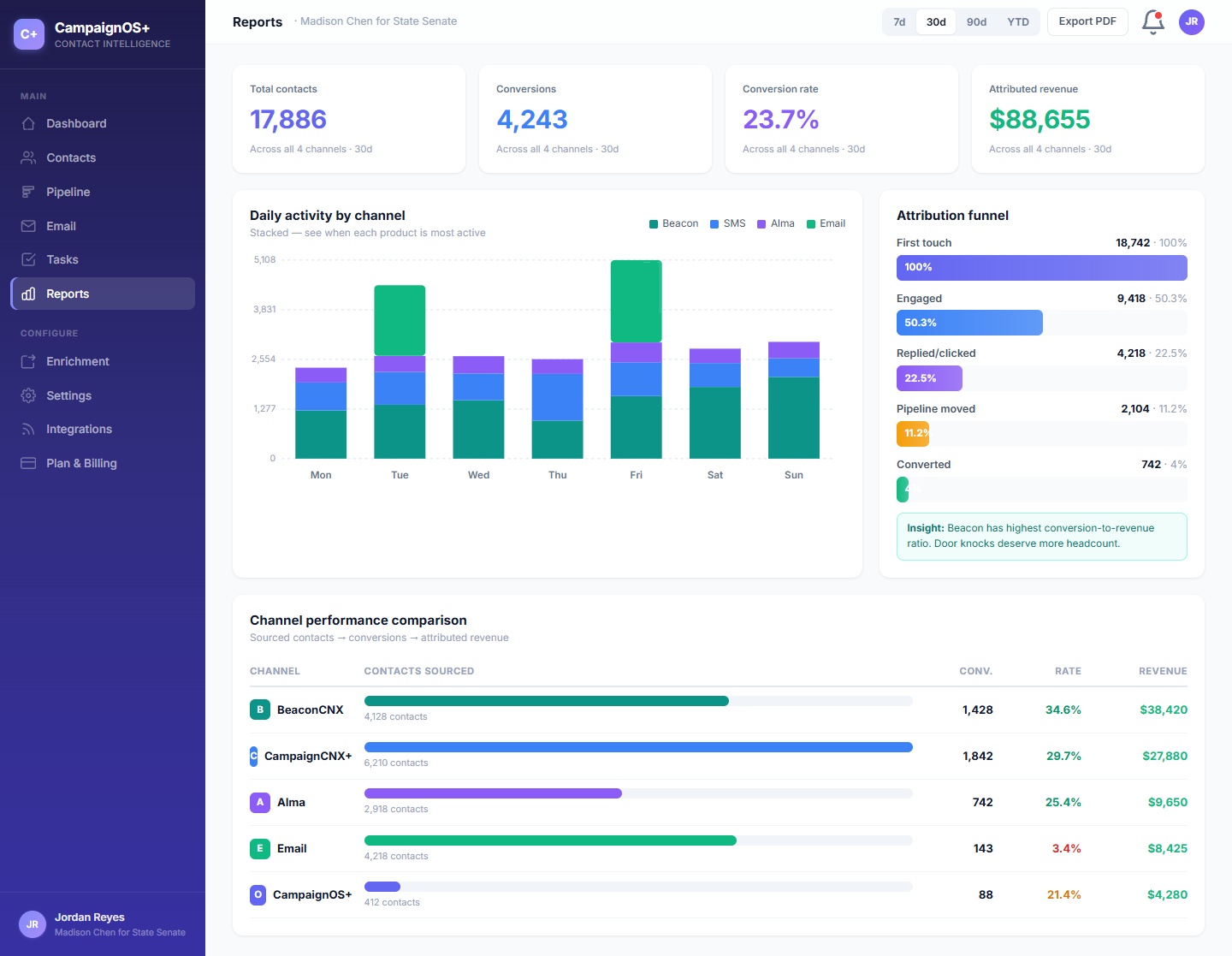
Activity by source, conversion by stage, contact-rate trends, top-performing campaigns. Built around the questions a real director asks at the Monday meeting.
/06, Find
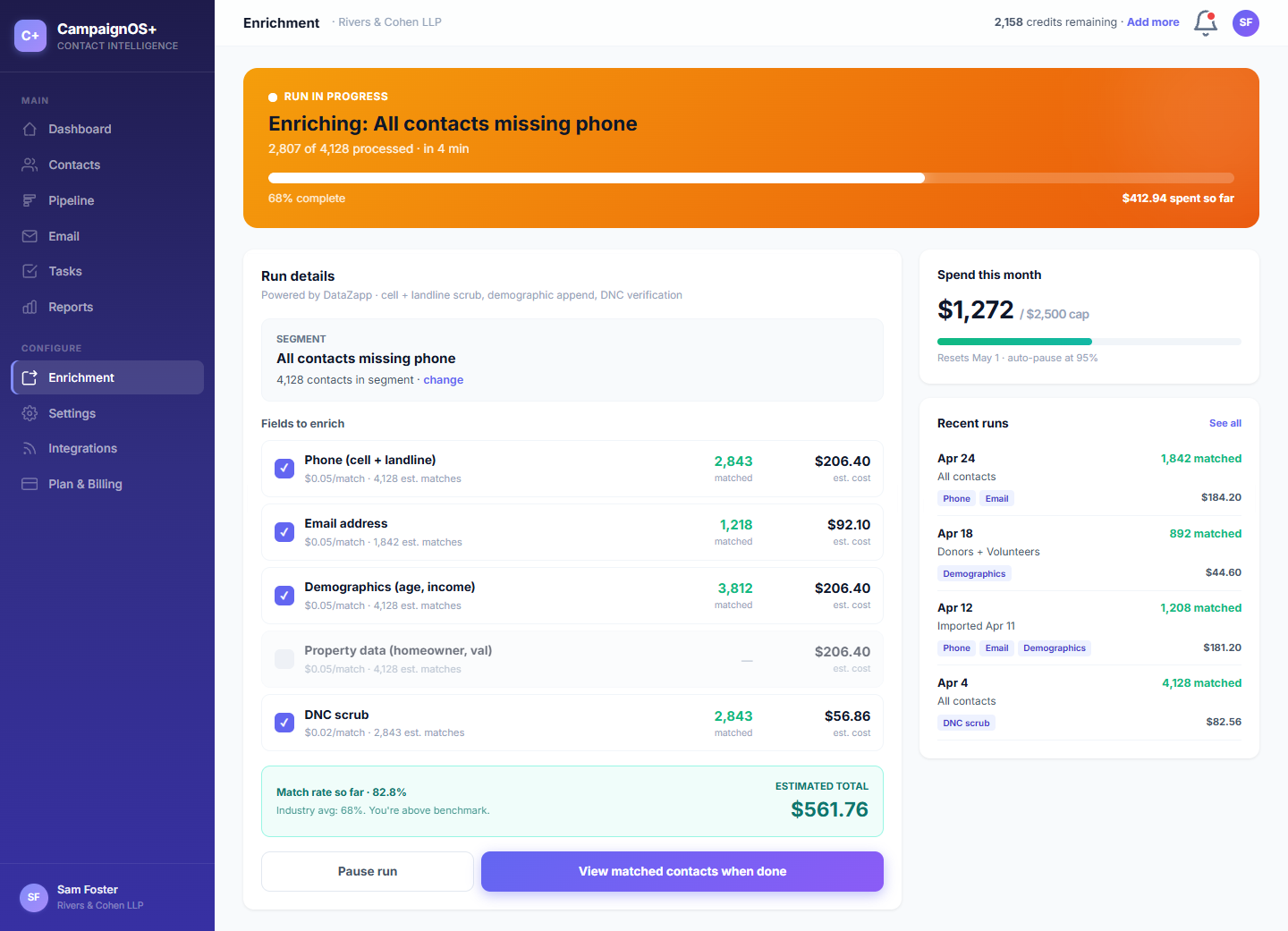
Phone, email, social, and firmographic lookups on every contact. Credits included on every paid plan. Top up if you burn through them, pay as you go.
/01 Unified timeline
Maria Santos has been a contact since April. Door-knocked twice, replied to two SMS asks, talked to Alma, opened three emails, and donated $25. Here's everything that's happened to her, in one place.
/A, THE CONTACT VIEW
Phone-first contact resolution means Beacon, CampaignCNX+, and Alma all write to the same record by phone number, with email as fallback. The result: a continuous timeline instead of three duplicate entries in three tools.
The color system in practice
The suite color dots aren't decoration. Every row on the timeline, every cell in a pipeline, every line in a report carries the source dot of the product that wrote it. You can read a contact's life at a glance.
The same six dots used everywhere in the product. Beacon teal, CampaignCNX+ blue, Alma purple, email green, manual gray, CoreCNX indigo.
/02, Pipeline
Donor ladder, lead temperature, volunteer-to-organizer pipeline, deal stages. Pick whatever fits. Drag a contact between columns; the move shows up on their timeline. Filter the board by source, score, or recency.
/03, Email
Compose, send, track. Opens and replies arrive via SendGrid webhooks and land on the contact's timeline in the same idiom as a door knock or SMS reply. No more "did Maria open the email" tab-switching.
/04, Tasks
Per-contact tasks assigned to a teammate, with a due date and a source. Most tasks aren't typed in by hand. They're auto-created when Alma escalates a conversation, when a sequence finishes, or when a pipeline stage flips.
/05, Reports
Activity by source, conversion by stage, contact-rate trends, top-performing campaigns. Everything is exportable; webhooks fire when thresholds hit. Built around the questions a real director asks at the Monday meeting.
/06, Enrichment
Run a lookup on a single contact or a whole segment. Results land as new fields on the contact record and the lookup itself shows up as a timeline event. Credits included on every paid plan; top up if you need more.
Under the hood
Every product in the suite, plus SendGrid for email, plus your own systems via the REST API. All hit the same ingest endpoint. Same handshake, same matching rules, same timeline.
/01
Source product fires a signed webhook. POST /api/activity/ingest with a payload that names the source, the contact (phone or email), and what happened.
/02
Phone-first match. Email fallback. Auto-create if neither exists. Across-product matching means three sources writing about the same person produce one timeline.
/03
We check a unique source record ID before insert. The same event arriving twice (network retry, replay) still lands on the timeline once.
/04
The event shows up on the contact's timeline, in dashboards, in reports, in segments, within seconds. No pipeline, no batch job.
Try it on your data
Sign up, import a CSV, send a test webhook from your terminal. Watch it land on the timeline in seconds. Wire in a suite product when you're ready.