For B2B teams
A clean CRM. Contacts, pipeline, email, tasks, reports. No three-letter automation builder, no $90,000-a-year Salesforce admin, no eighteen field types for the same phone number. Built for the law firm, the regional services business, the small advocacy nonprofit that just needs the basics done right, at a fraction of the price.
What you'd otherwise pay
If you're a 12-person firm running a single-channel pipeline, you don't need the enterprise CRM. You need the part that holds contacts, runs pipeline, sends email, and reports the numbers. That's all CoreCNX does, at a price that's not embarrassing.
/user/mo · Professional tier
/mo flat · 10 users included · Growth tier
Rivers & Cohen LLP
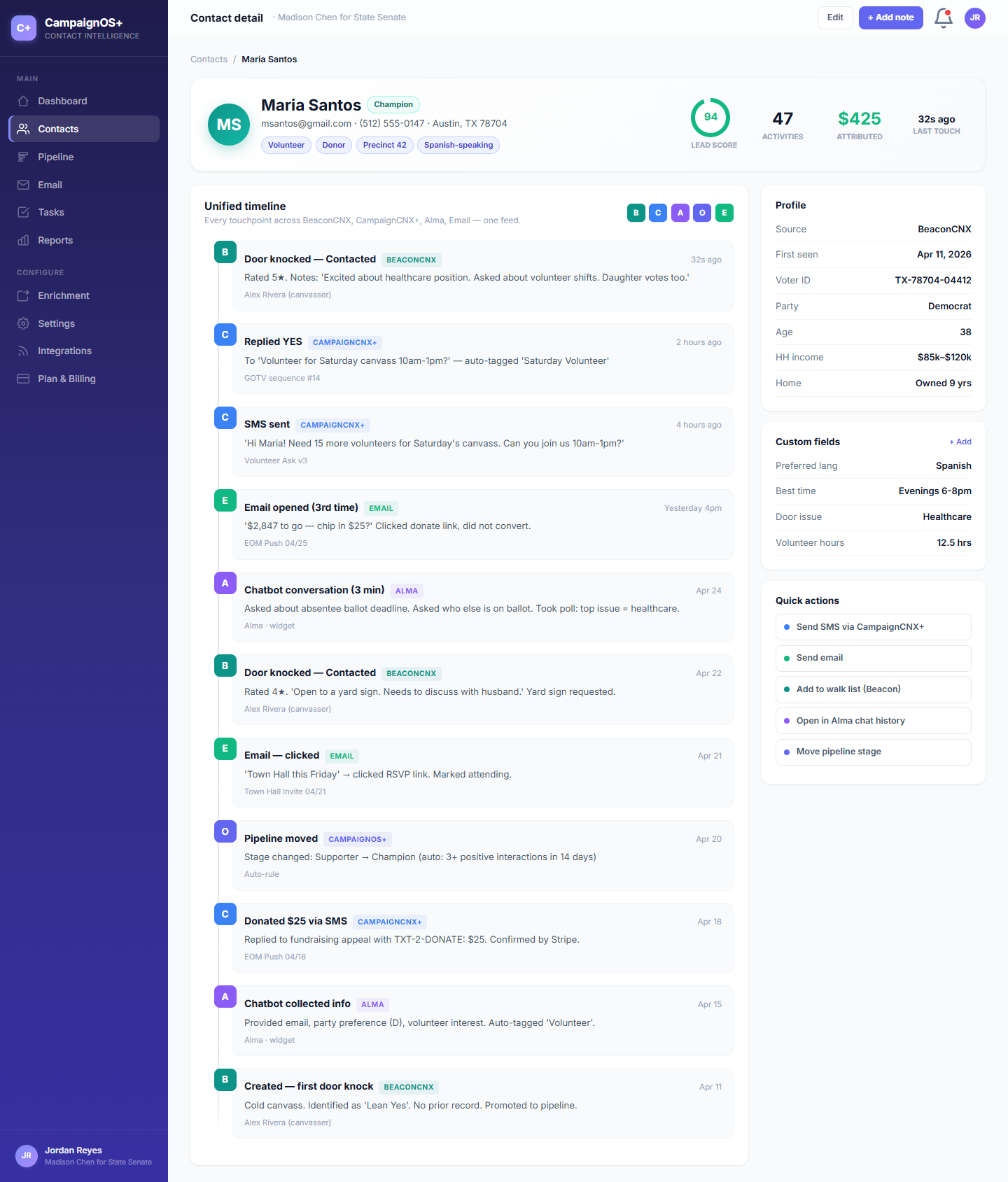
Sam Foster, intake coordinator, opens this view fifty times a day. Every prospect (referred client, cold lead, returning case) has one record with the whole conversation history. No second tool, no Outlook search, no "did anyone email her back?"
/A, CONTACT VIEW
A prospect lands as a referral or a website lead. CoreCNX holds the contact record, the pipeline status, every email out and reply in, every internal note, every task, and the conversion to client. No CRM, no project tool, no inbox archaeology: one record, one timeline.
The four-step workflow
If you're running a single-channel program (outbound email, inbound referrals, or both) these four steps are the entire job. CoreCNX does each one well; nothing in the way.
/01, Import
Drop a spreadsheet of leads, referrals, or your existing CRM export. Phone-first matching collapses duplicates automatically. Custom fields land where you'd expect them.
/02, Pipeline
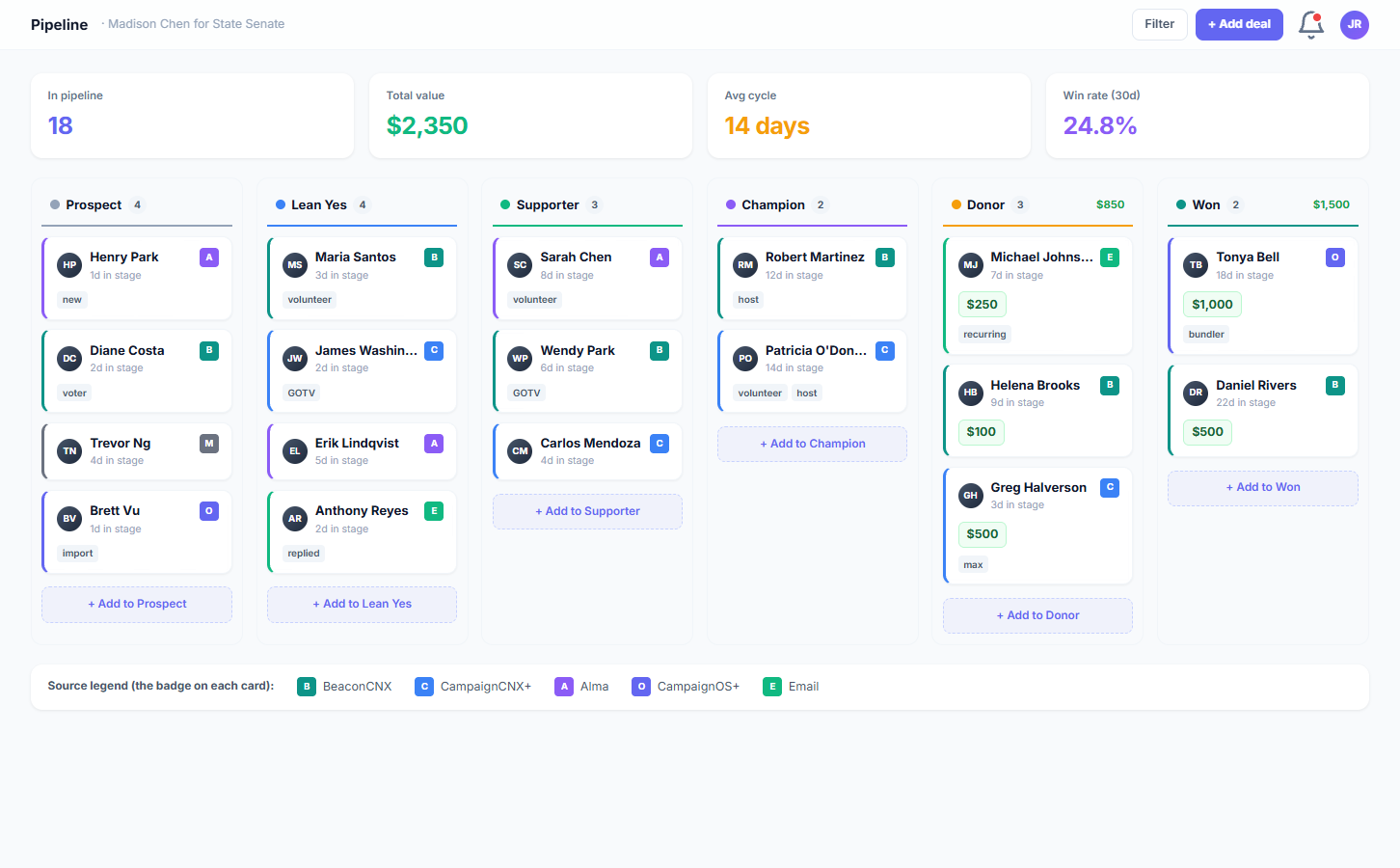
"New lead" → "Qualified" → "Proposal sent" → "Engaged" → "Closed." Or whatever your flow looks like. Drag contacts between stages, track conversion at each step.
/03, Email
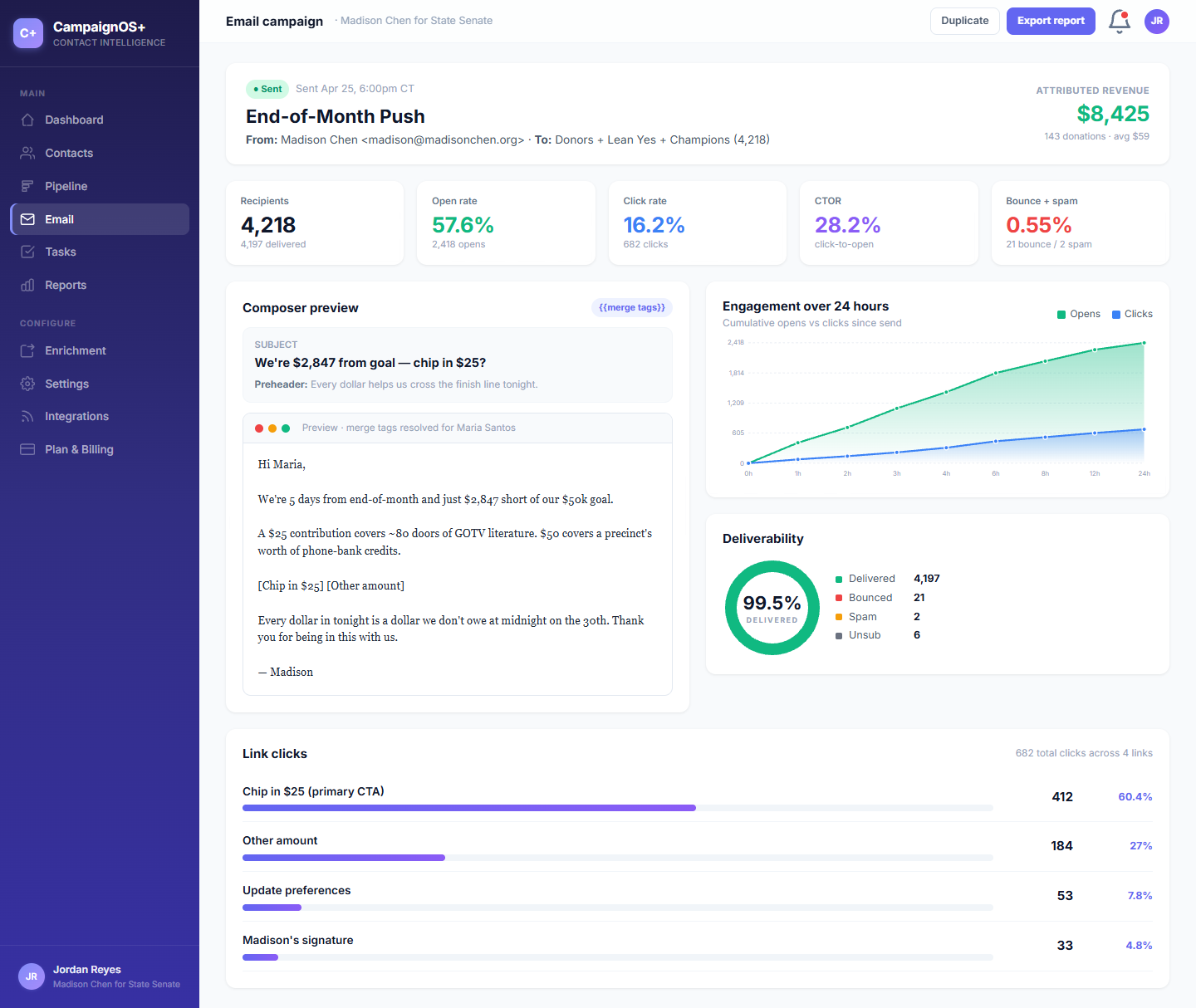
Compose, schedule, send. Opens and replies arrive via SendGrid and join the contact's timeline. Suppressions sync across the workspace. No double-emailing the same prospect.
/04, Report
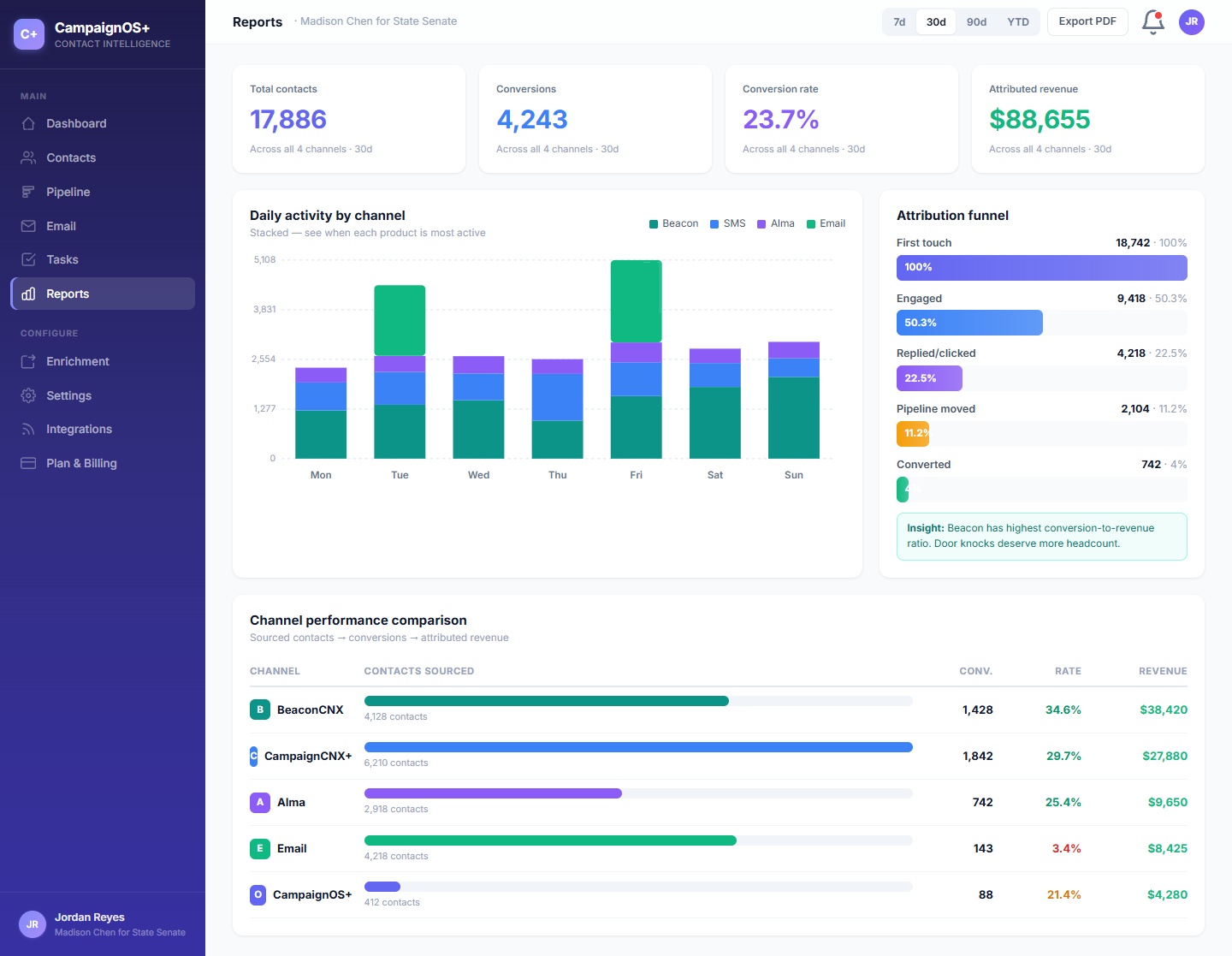
Pipeline conversion, per-team-member outreach, top-performing email subject lines, contact-rate trends. CSV export for the partner meeting; scheduled email digests if you don't want to chase the dashboard.
/A, Pipeline
For a law firm: intake → consultation → engagement → matter closed. For a regional services business: lead → qualified → proposal → won/lost. Stages are yours; drag-and-drop with keyboard shortcuts, filter by source, score, recency.
/B, Email
Native compose-and-send with SendGrid open and reply tracking. Replies arrive on the contact's timeline next to the original send, so the next teammate to look at the record sees the whole thread without going to Gmail.
/C, Reports
Pipeline conversion by stage, email-to-meeting conversion, per-rep outreach volume, top-performing subject lines, contact-rate trend over the quarter. Exportable, schedulable, no dashboard certifications required to read it.
Optional, never required
You don't need any of these to use CoreCNX as a standalone CRM. But they're one toggle away the day you decide you want field ops, broadcast SMS, or a chatbot. No re-platforming, no data migration: same contacts, same timeline.
+
Field ops with door knocks, walk lists, and a canvasser app. For when your B2B team starts running in-person events or your nonprofit grows to door-to-door fundraising.
+
Broadcast SMS at $0.06/message. For when one-off email blasts aren't cutting through and you want to text the list. Suppressions sync back automatically.
+
Website chatbot for inbound visitor conversations. Captures qualifying answers, hands off to a human when needed. The lead lands in CoreCNX with the transcript pinned.
+
Plenty of teams stay on standalone CoreCNX forever and that's fine. You're not paying for the suite when you're not using it.
B2B FAQ
If yours isn't here, the demo email goes to a real person who answers within a business day.
Yes. CSV export from either platform drops cleanly into CoreCNX. Standard fields (name, email, phone, company, deal stage, owner) map automatically. Custom fields land in our equivalent custom-field structure. We've moved teams off both; the white-glove migration is $249–$999 depending on data shape.
Email send happens through SendGrid (we route under the hood). For inbound, you can BCC us on outbound replies from your inbox. They land on the contact's timeline. A native two-way Gmail sync is on the roadmap for 2026; for now, the BCC pattern handles 90% of teams.
Most B2B teams self-onboard in an afternoon: import a contacts CSV, set up three pipeline stages, send a test email, watch the open events land. If you want a real person to do it for you, we'll quote white-glove setup ($249–$999). It's a 90-minute working session and we leave you with a working pipeline.
HubSpot is mid-market software with a marketing-automation engine, a sales-engagement engine, a service desk, and a CMS bolted on. CoreCNX is a CRM with a unified timeline. If you need marketing automation flows with branching logic and lifecycle scoring, you want HubSpot. If you need contacts, pipeline, email, tasks, and reports, done well and sharing one record, you want us.
Workspaces are isolated per account at the database level. Your data is never co-mingled with another customer's. Backups run daily with point-in-time recovery up to 30 days. All webhooks are signed; the public REST API uses scoped tokens with rotate-on-leak. SOC 2 Type II is in process for 2026.
Almost certainly Growth: $99/mo, 15,000 contacts, 10 users included. If you have more than 10 users or more than 15,000 contacts, Pro at $199/mo (20 users, 50,000 contacts). Annual saves about 20%. Per-user pricing is not a thing here.
Yes. CSV export of contacts, deals, timeline events, email campaigns, and reports is one click. We don't hold data hostage and we don't charge for export. If you switch back to a legacy CRM, your data goes with you in a format any of them can read.
No. The API exists for teams that want to push data programmatically (engineering teams, integration partners). The product itself works as a normal web app. You log in, click around, send emails, drag pipeline stages. The advanced stuff is opt-in.
Try it on your data
Sign up, import your contacts CSV, set up three pipeline stages, send your first campaign. The whole thing takes an afternoon, not a Salesforce implementation cycle.