What each one writes to the timeline
Each product has its own job, and each job ends in a CoreCNX event.
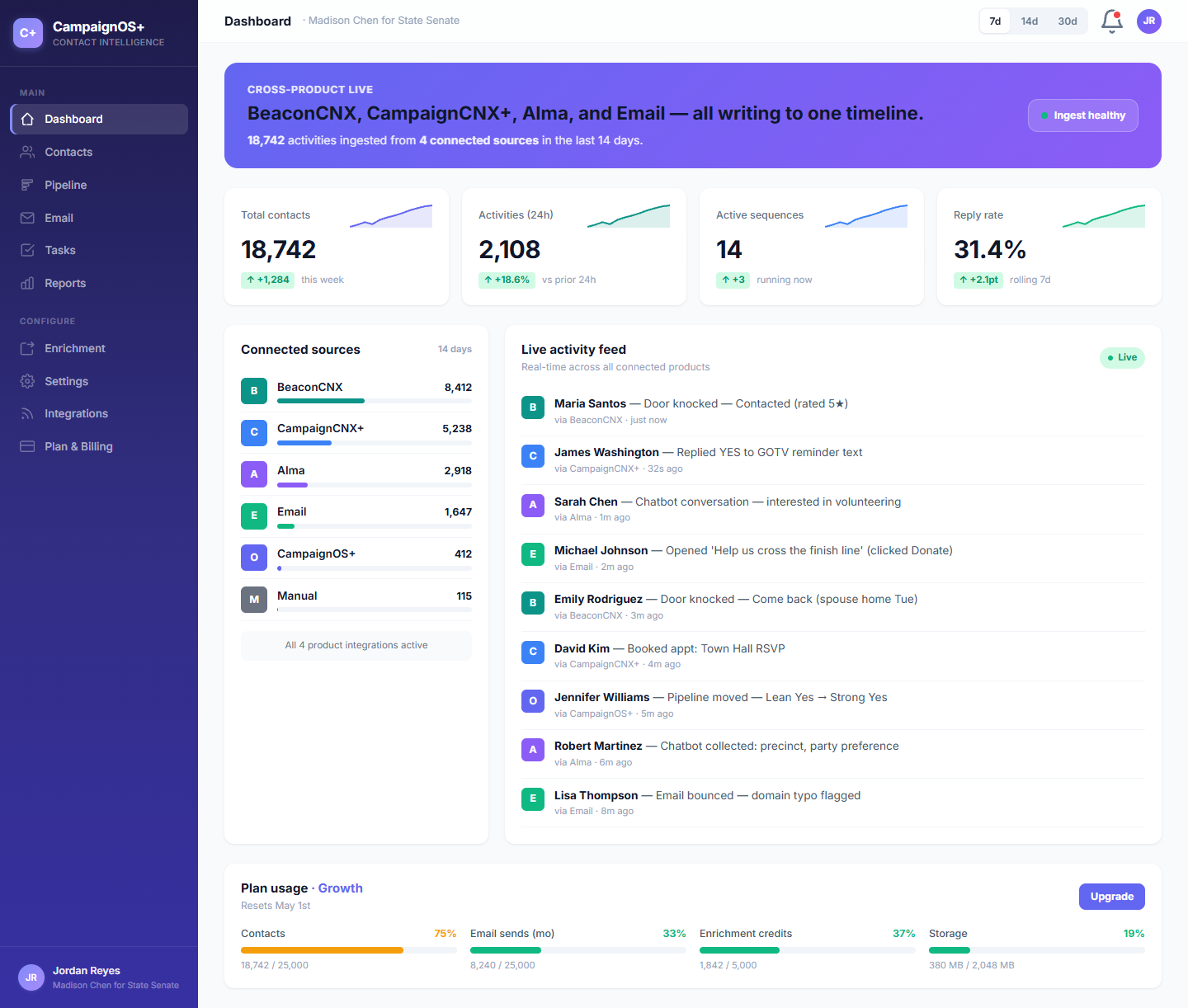
The timeline treats every product the same way, marking each event with a colored dot and placing it in date order.
/A, CoreCNX, the central record
The CRM the other three products report to.
When a Beacon canvasser knocks on a door, when a CampaignCNX+ recipient replies "STOP", or when Alma captures a chatbot lead, the activity is recorded here on one contact's timeline in date order.
- Contacts matched by phone number first, then by email address, across all four products
- Each event marked with its source (the color dots above)
- Pipeline, email, tasks and reports: a full CRM, ready to use
- A REST API and signed webhooks (automatic, verified messages between systems) so other software can read and write your data
/B, Beacon, field work
Door knocks are recorded as timeline events.
Beacon manages in-person outreach: walk lists, GPS-mapped turf (the area assigned to a canvasser), canvasser shifts and door results recorded on a phone. When a canvasser taps "Contacted" or records a survey answer, Beacon sends a webhook to CoreCNX that carries a private key only the suite products hold, and the event appears on that voter's timeline with the teal Beacon dot.
- Walk lists, turf assignments, canvasser check-in
- Door results recorded even without a cell signal
- Door knocks shown on the timeline
beaconcnx.com
Beacon
Field work · canvasser app
Sending to CoreCNX/C, CampaignCNX+, texting
Texts and replies on the same timeline as the door knock.
CampaignCNX+ sends mass texts and handles two-way replies in large volumes. Each text sent, delivery, reply, opt-out and keyword reply (such as VOLUNTEER) sends a webhook to CoreCNX. If a contact had a door knock on Tuesday and received a text on Friday, her reply appears with that activity as one continuous history.
- Mass texts to your contact groups in CampaignCNX+
- Replies appear on the timeline as incoming messages
- Opt-out events update CoreCNX contact preferences
- Keyword replies (such as VOLUNTEER) labeled with their source
campaigncnx.com
CampaignCNX+
Mass texts · two-way replies
Sending to CoreCNX/D, Alma, Website chatbot
Chatbot conversations feed the same contact record.
Alma is a chatbot on your website that answers visitors' questions in your organization's voice. When it records a visitor's email address or phone number, the lead and the finished conversation are added to the contact's timeline, next to door knocks and text replies.
- Sorts and answers incoming chats on your website
- Name, email and phone saved to the CoreCNX contact
- Each finished conversation recorded on the timeline
- Appointments booked in the chat recorded on the timeline
helloalma.chat
Alma
Website chatbot
Sending to CoreCNX