For political campaigns
CoreCNX is a CRM (a shared database of your contacts and your history with them) built for campaigns that use the full CNX Suite. It is the first CRM to show Beacon door knocks, CampaignCNX+ text replies, Alma chatbot conversations and email opens on one voter record, instead of three separate tools.
Madison Chen for State Senate
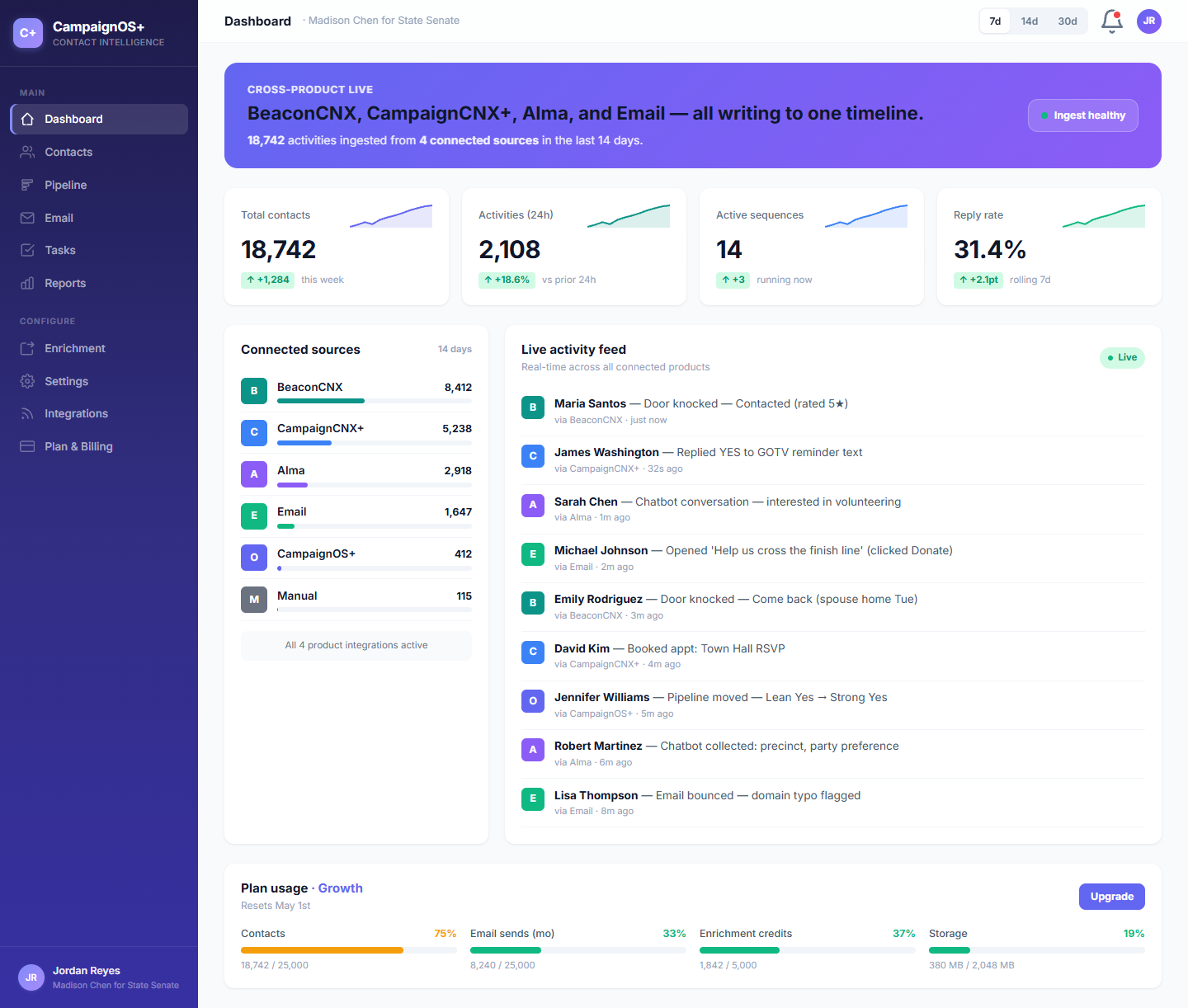
The Madison Chen team opens this dashboard every morning. Five sources add activity as it happens, each contact has a single record, and each event is color-coded by its source.
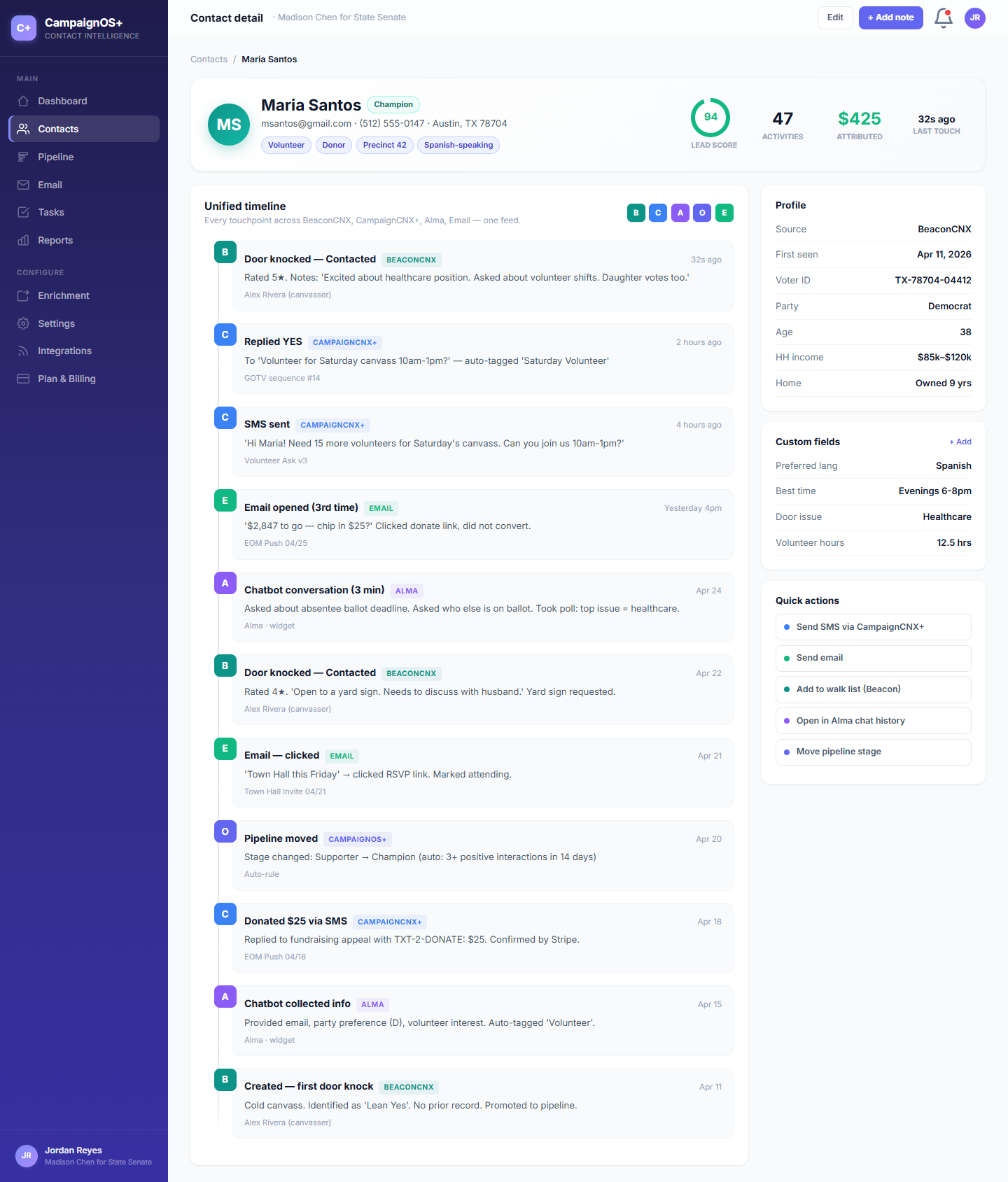
Maria Santos's voter record
Each line shows the product that recorded it, so the whole history reads in order on one record.
Door knock
A canvasser records Maria as a "supporter" and notes her survey answer, "issues: schools, broadband."
APR 12 · 2:47 PMSMS reply
Three weeks later, Maria receives a text sent to the campaign's full list and replies that she is in. Her reply is recorded on the same record as the door knock, with the time it came in. The words of the reply stay in CampaignCNX+.
MAY 03 · 6:14 PMChatbot lead
Maria visits the campaign website to read about education policy. Alma answers her question and collects her email address, and the lead, with the details she gave, is added to her CoreCNX record. Alma sends leads to CoreCNX on its Growth plan and up.
MAY 09 · 9:22 PMOpen + click
Maria opens the campaign's town hall invitation and clicks the sign-up link. SendGrid, the email delivery service, reports both to CoreCNX, and they appear on her timeline within seconds.
MAY 14 · 11:08 AMStage: donor
Maria donates through the campaign's donation platform. A staff member moves her from "supporter" to "donor," and the change appears on her timeline.
MAY 14 · 11:31 AMThe contact view
Click any voter to see their full history in order: door knocks, texts and replies, chatbot leads and email opens.
/A, VOTER VIEW
Maria Santos has been a contact since April. Canvassers have visited her twice. She has replied to two text requests, left her email with Alma, opened three emails and attended a town hall.
How an event reaches CoreCNX
These steps follow when a Beacon canvasser in a Springfield precinct logs a door knock at 7:43 PM on a Tuesday.
/01
The canvasser taps "Contacted" in the Beacon mobile app and saves the survey answers. Beacon stores the result on the phone and prepares a webhook (an automatic message between systems) for CoreCNX.
/02
When the phone syncs, Beacon sends the message to CoreCNX (POST /api/activity/ingest) with a private key that only the suite products hold. CoreCNX checks the key and accepts only genuine messages.
/03
CoreCNX matches the visit to the voter file (your imported list of voters) by phone number first. If a weak connection sends the same visit twice, it is recorded only once.
/04
Jordan Reyes's dashboard updates, and the day's door-knock count rises by one. The contact list, filtered to supporters by precinct, also updates.
The rest of the campaign tools
The CRM that keeps the timeline also runs your supporter, volunteer and donor pipeline and your weekly report, from the same records.
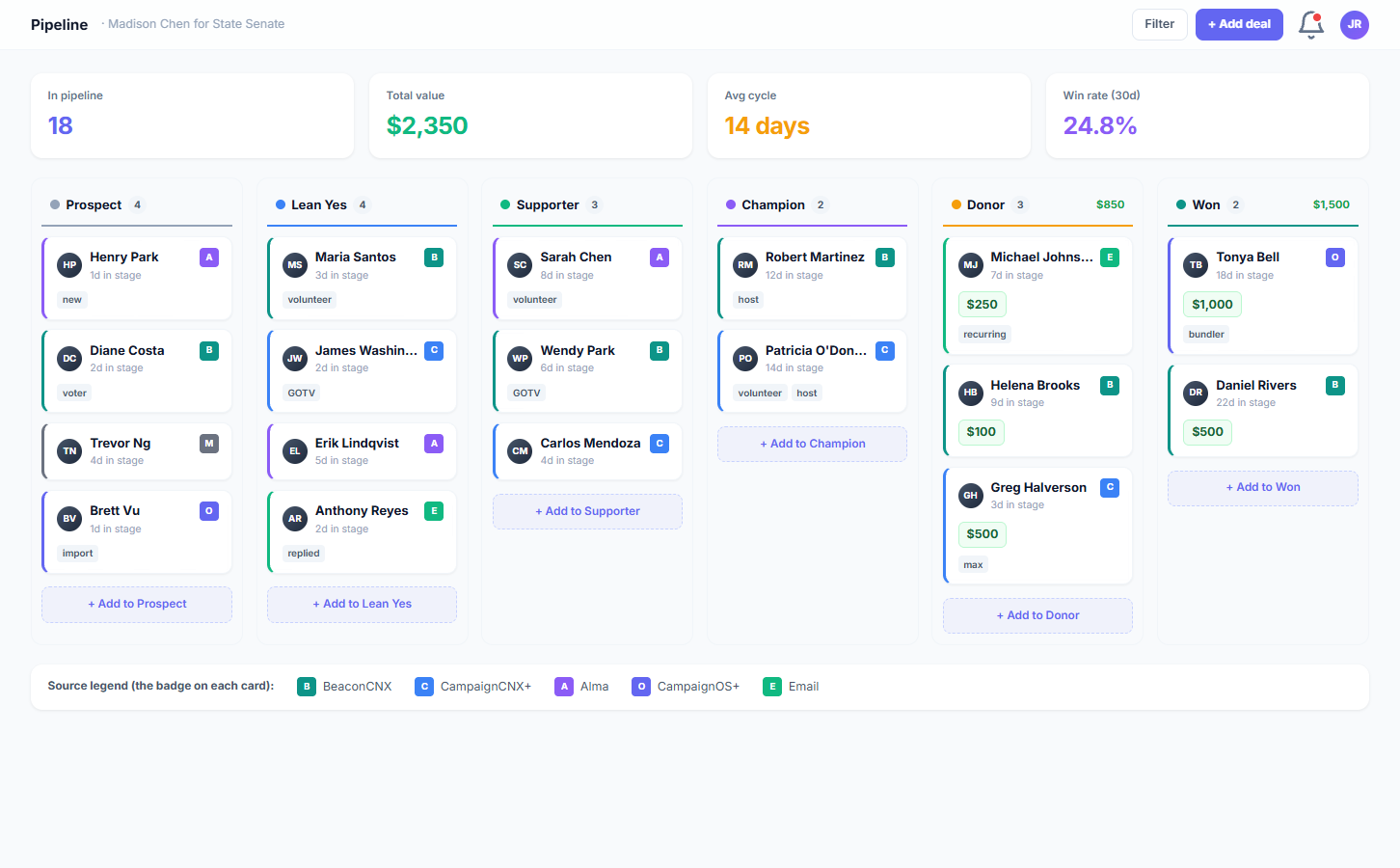
/A, Pipeline
"Identified" → "Supporter" → "Vol-asked" → "Volunteer" → "Donor" → "GOTV plus-one." You can use any stages your campaign needs. When you drag a voter to a new column, the change appears on their timeline.
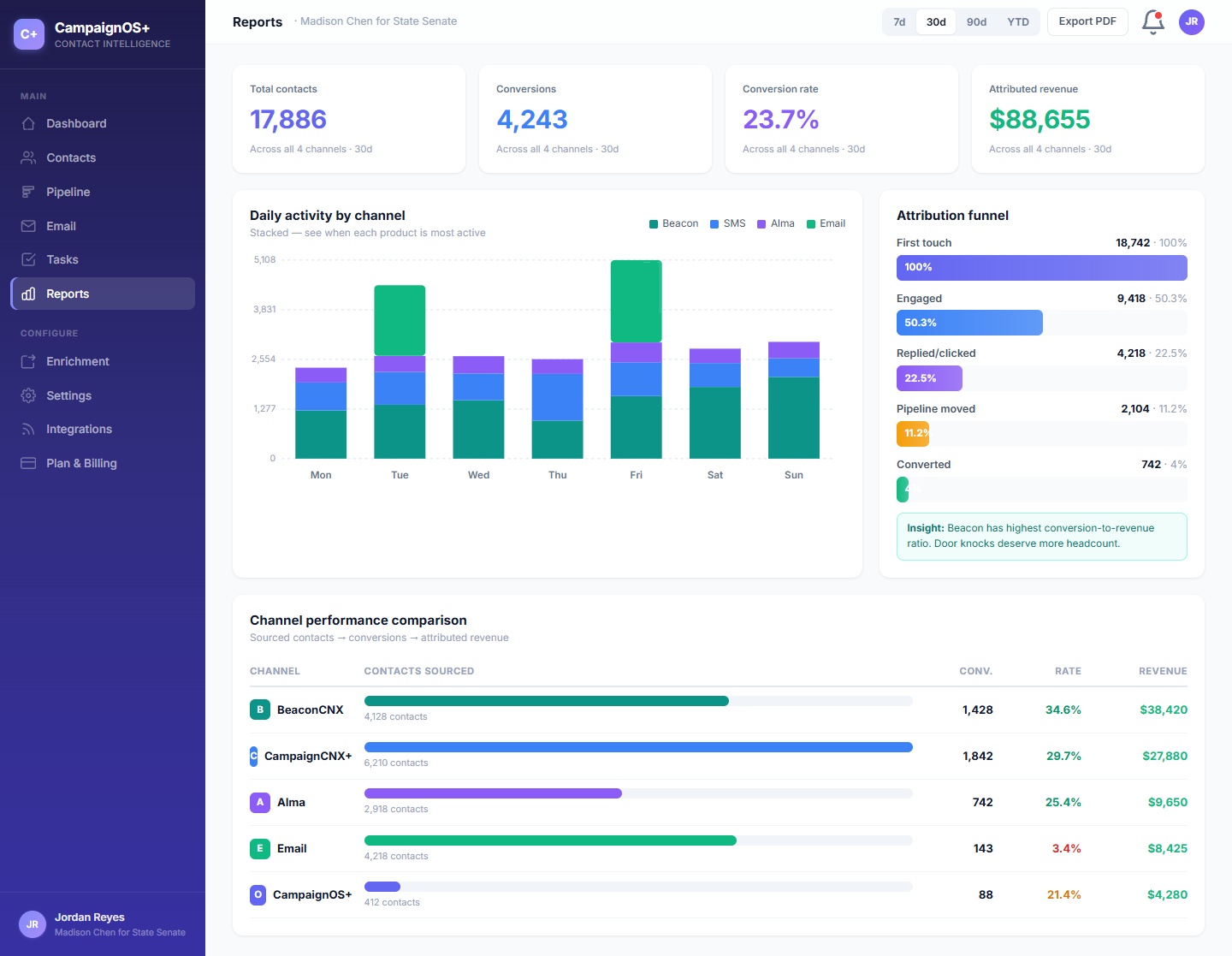
/B, Reports
Reports show activity by source (doors, texts and email opens), how many voters sit in each pipeline stage and how long they stay there.
Political FAQ
If your question is not here, send it with a demo request. A real person will answer within one business day. We are a small team, and we know campaign work.
Yes. CSV import accepts exports from party voter databases, state party files and most voter file vendors. Because CoreCNX matches records by phone number first, the import will not duplicate voters already added from a Beacon walk list (the addresses a volunteer is assigned to visit) or a text to your full list. Custom fields such as precinct, turf, support score and party ID are imported too.
CoreCNX works alongside your party's voter database rather than replacing it. You import voter file data into CoreCNX and can export your contacts as a CSV file, with an optional column summarizing each contact's activity, for committee uploads. There is no real-time connection to party databases because most state parties do not allow one, so the export is designed around what they do allow.
No. CoreCNX is not a compliance tool and does not produce campaign finance reports. Its contacts export is a CSV or XLSX file of your contacts with their tags and custom fields. Donation and compliance reporting stays in your campaign's fundraising platform.
Yes. The pipeline serves as your GOTV ladder. Beacon walk lists are assigned by precinct, the dashboard shows door knocks as canvassers' phones sync them, and a GOTV text sent through CampaignCNX+ is recorded on every contacted voter's timeline. The field director sees it all on one screen.
CampaignCNX+ handles texting compliance, including opt-out requests, 10DLC registration (registering a standard local number with the phone companies for campaign texting) and content rules. When a voter opts out of texts in CampaignCNX+, the opt-out is recorded on their CoreCNX contact, and an import does not change an opt-out already recorded on a contact.
A state representative or city council campaign can be running on CoreCNX in an afternoon. Import the voter file, set up three pipeline stages (ID'd, supporter and GOTV), and connect CampaignCNX+. Texting starts after the phone companies review your new number, which takes about three business days for a toll-free number. A statewide campaign takes a week and usually uses white-glove setup, where our team sets it up with you.
State representative races usually use Growth ($99/mo, 15K contacts). State senate and city mayor races usually use Pro ($199/mo, 50K contacts). Statewide, governor and congressional races use Enterprise ($499/mo, 150K soft cap, a flexible limit). All paid plans include unlimited Beacon and CampaignCNX+ integrations.
You keep your data. Your contact records and timelines belong to you and export to CSV in one click. After Election Day, you can move to a smaller plan from your billing settings, and your data stays in place for the next election cycle. Each plan has a contact limit, and contacts above it are billed per 1,000, so check the pricing page before you move. If a campaign cancels, its data is kept for 90 days and then deleted from our live systems, and from our encrypted backups within a further 90 days, so export it first if you want a copy.
Set up your campaign in 14 days
Sign up, import your voter file and connect Beacon and CampaignCNX+. The next door knock will appear on the timeline within seconds.