What each one writes to the timeline
CampaignCNX+ and Alma each have their own job, and each job ends in a CoreCNX event.
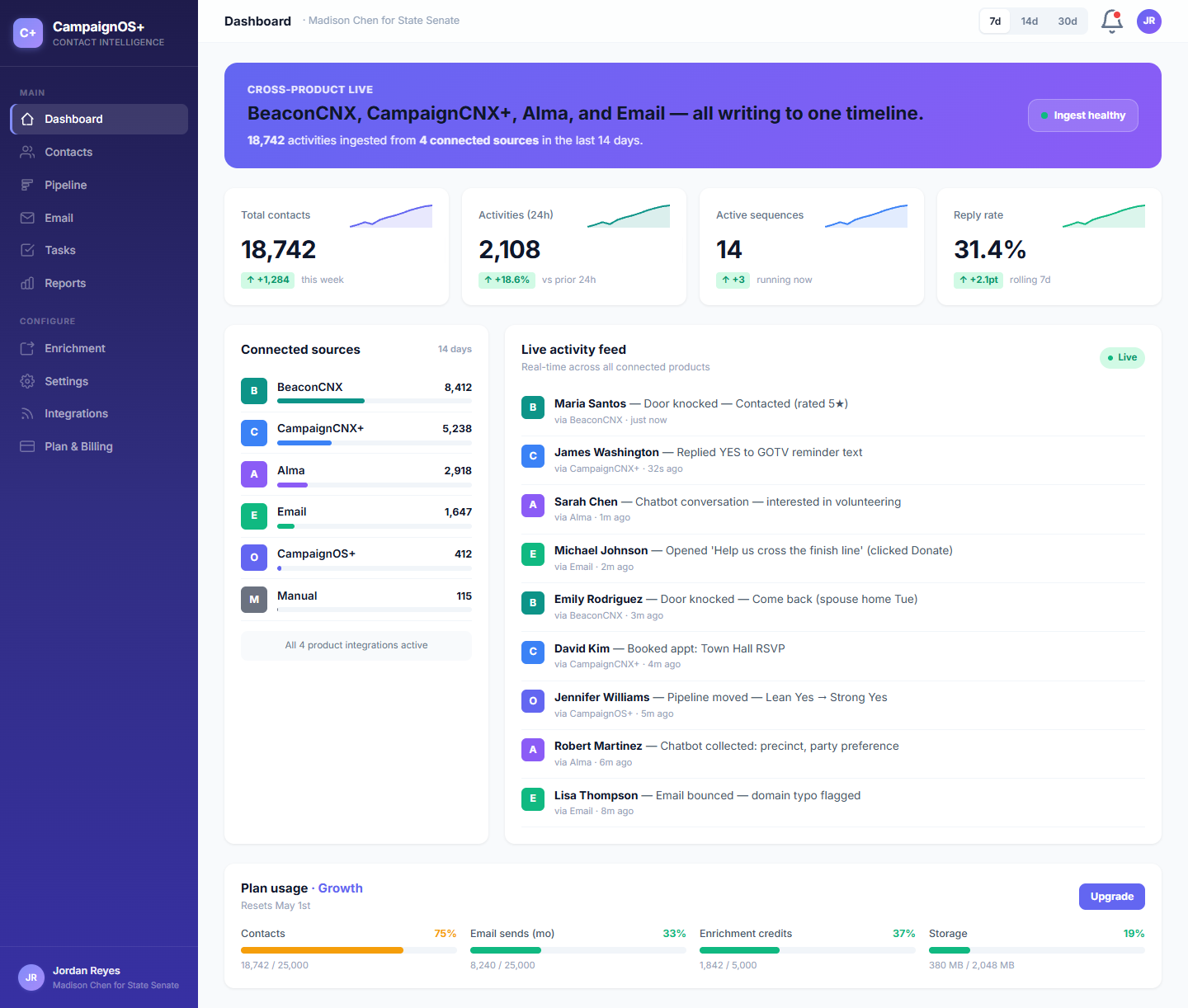
The timeline treats every product the same way, marking each event with a colored dot and placing it in date order.
CoreCNX, the central record
The CRM that CampaignCNX+ and Alma report to.
When a CampaignCNX+ recipient replies "STOP", or when Alma captures a chatbot lead, the activity is recorded here on one contact's timeline in date order. A Beacon canvasser's door knock is recorded the same way.
- Contacts matched by phone number first, then by email address, across every product that sends activity
- Each event marked with its source (the color dots above)
- Pipeline, tasks, reports and built-in email, ready to use
- A REST API to list, read and add contacts, using an API key an admin creates (Growth and up), and signed webhooks (automatic, verified messages between systems)
Beacon, field work
Door knocks become timeline events.
Beacon manages in-person outreach: walk lists, GPS-mapped turf (the area assigned to a canvasser), canvasser shifts and door results recorded on a phone. When a canvasser taps "Contacted" or books an appointment, Beacon sends a webhook to CoreCNX that carries a private key only the suite products hold, and the event appears on that voter's timeline with the teal Beacon dot.
- Walk lists, turf assignments, canvasser check-in
- Door results recorded even without a cell signal
- Door knocks shown on the timeline
beaconcnx.com
Beacon
Field work · canvasser app
Sends to CoreCNXCampaignCNX+, texting
Texts and replies on the same timeline as the rest of the contact's history.
CampaignCNX+ sends mass texts in large volumes, and its Inbox handles two-way replies (included on Enterprise, a $12.49/mo add-on on pay-as-you-go, Basic and Pro). Each text sent, delivery, reply, opt-out and keyword reply (such as VOLUNTEER) sends a webhook to CoreCNX. If a contact had a door knock on Tuesday and received a text on Friday, her reply appears with that activity as one continuous history.
- Mass texts to your contact groups in CampaignCNX+
- A reply appears as an event on the timeline; its words stay in CampaignCNX+
- Opt-out events update CoreCNX contact preferences
- Keyword replies (such as VOLUNTEER) labeled with their source
campaigncnx.com
CampaignCNX+
Mass texts · two-way replies with the Inbox
Sends to CoreCNX once connectedAlma, website chatbot
Chatbot conversations are added to the same contact record.
Alma is a chatbot on your website that answers visitors' questions in your organization's voice. When it records a visitor's email address or phone number, the lead and the finished conversation are added to the contact's timeline, next to text replies and door knocks. Alma sends to CoreCNX on its Growth plan and up; Alma Starter doesn't send to CoreCNX.
- Sorts and answers incoming chats on your website
- Name, email and phone saved to the CoreCNX contact
- Each finished conversation recorded on the timeline
- Appointments booked in the chat recorded on the timeline
helloalma.chat
Alma
Website chatbot
Sends to CoreCNX once connected