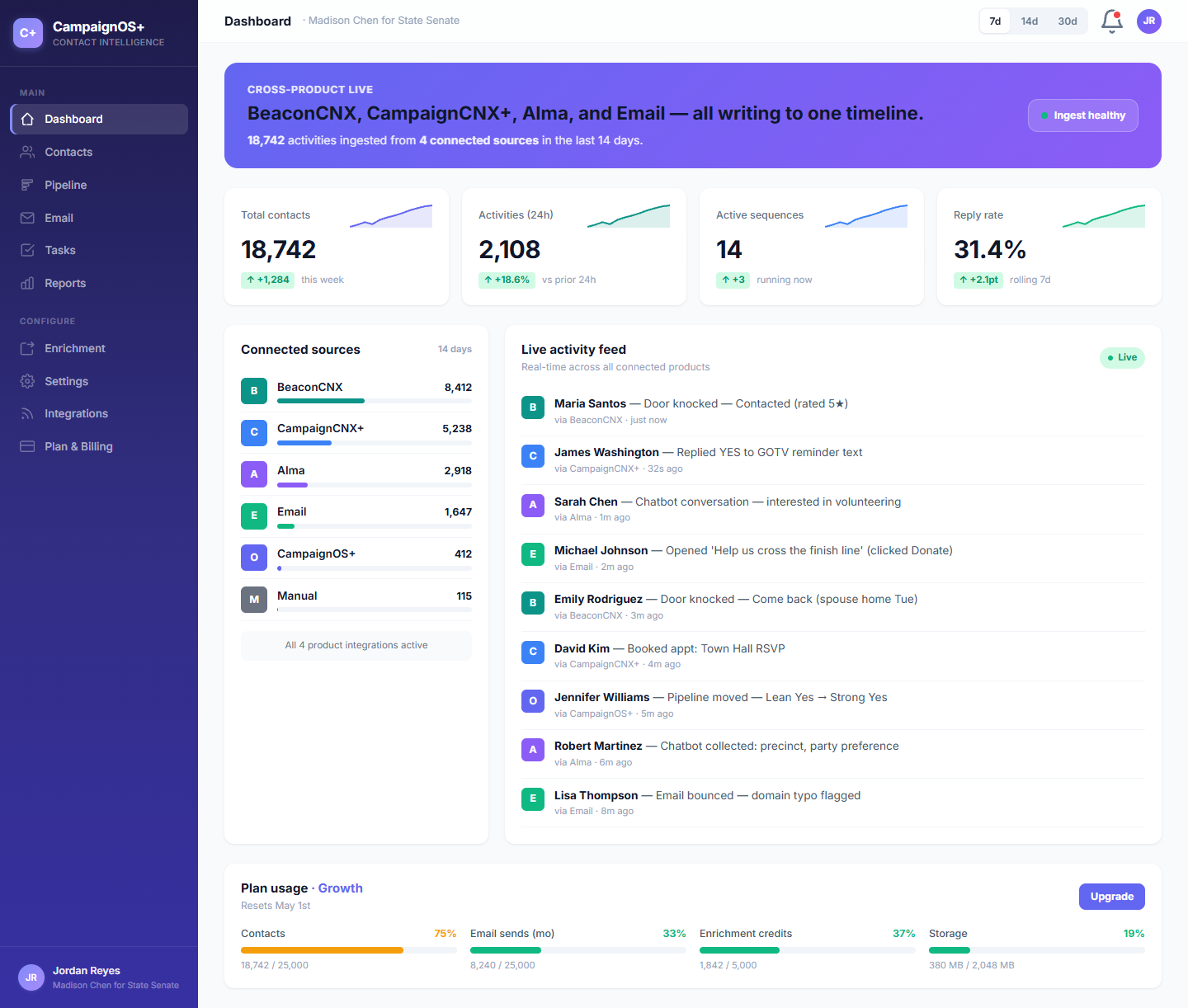
CoreCNX puts every door knock, text reply, chatbot lead, and email open on one timeline per contact, in order. It connects to Beacon, CampaignCNX+, and Alma, and also works on its own as a CRM (a shared database of your contacts and their history).
Five sources, one contact record.
The platform
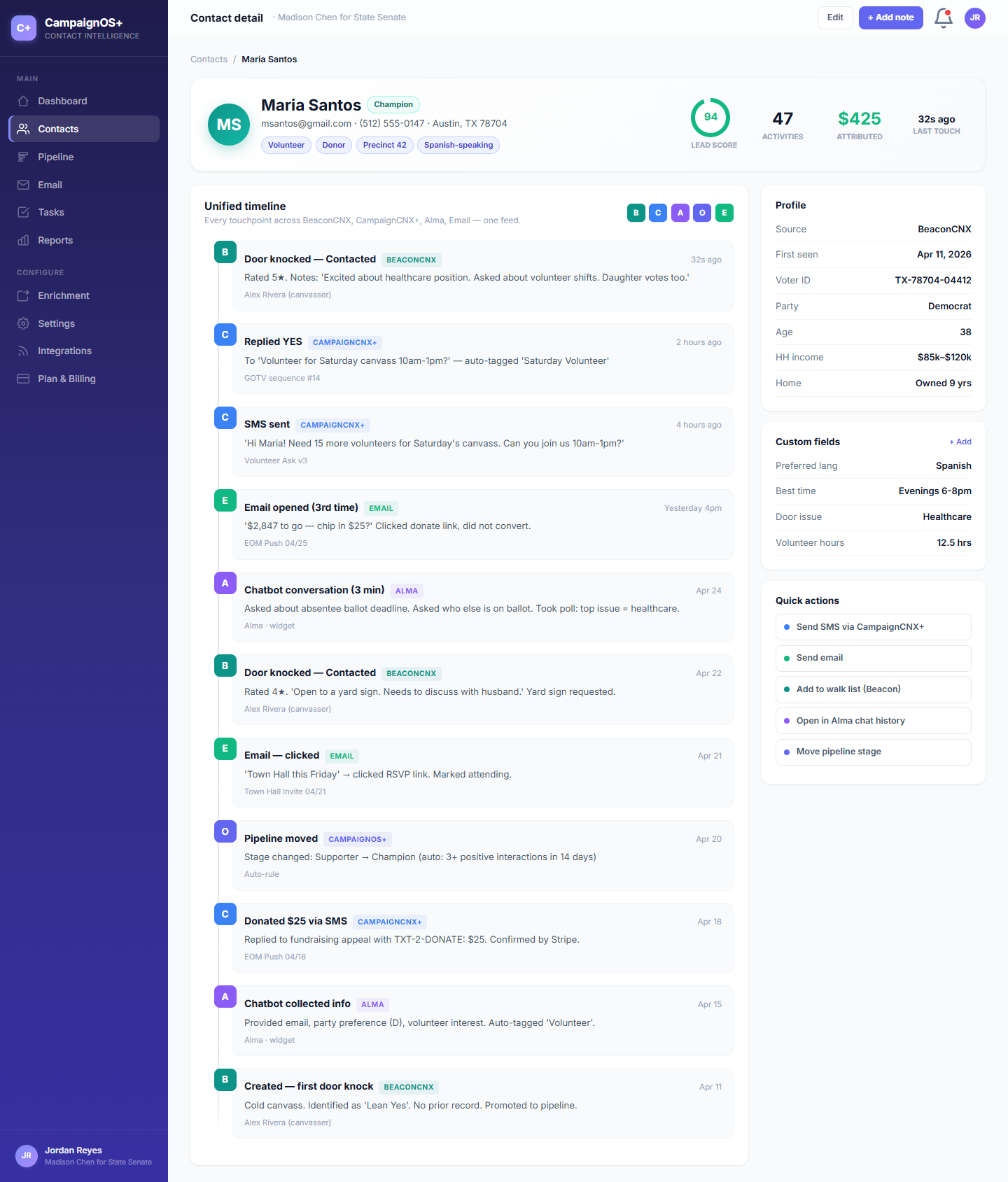
Many CRMs treat a contact record like a folder of notes. CoreCNX treats it as a dated timeline of everything that has happened with that person: door knocks, texts, chatbot conversations, emails, and notes your team adds. You can sort, filter, and export it.
/01, UNIFIED TIMELINE
CoreCNX matches records by phone number first, then by email address. Every product adds its activity to that one record, so a person's full history appears on one timeline.
/02, PIPELINE
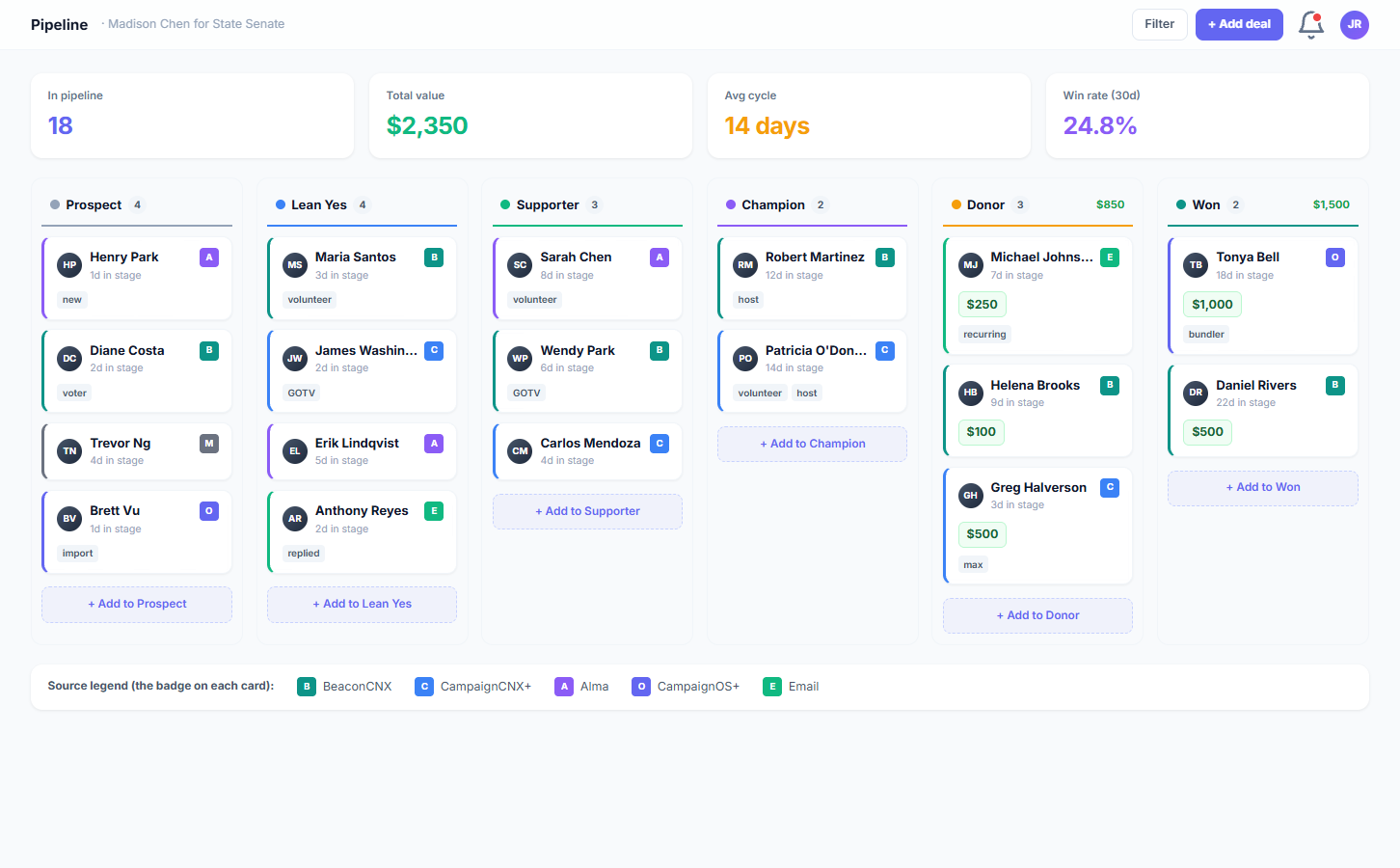
The pipeline is a board of stages that shows where each contact stands. You name the stages to fit your work (donor tier, lead score, fundraising level, sales stage) and drag contacts between them.
/03, INTEGRATIONS
Beacon, CampaignCNX+, and Alma each send their activity to CoreCNX using a webhook (an automatic message between systems) that carries a private key only the suite products hold, so CoreCNX accepts only genuine ones. Email runs through SendGrid, an email delivery service.
The unified timeline
This is the record of someone who has heard from your campaign on every channel, with no switching between tabs or matching spreadsheets.
THE CONTACT VIEW
Her record shows two door knocks, texts (SMS) in both directions, a chatbot conversation that collected her details, an email she opened, a stage change, and the text in which she replied GIVE and got the donation link. Each event shows the product that recorded it and the time.
How an event gets to the timeline
This is what happens when a Beacon canvasser in a Columbus precinct records a door knock.
/01
The canvasser taps "Contacted" for that door. Beacon saves the result on the phone and prepares a webhook for CoreCNX.
/02
Beacon sends the message (POST /api/activity/ingest) with a private key that only the suite products hold. CoreCNX checks the key to confirm the message is genuine.
/03
CoreCNX looks for a match by phone, then email, and creates a new contact if neither matches. It also checks the event's unique ID (source_record_id), so an event that arrives twice appears only once.
/04
The event appears on Maria's timeline with the Beacon color dot, and in every dashboard and report within seconds.
FROM ACTIVITY · TO TIMELINE
Sign up, import your contacts, and connect the suite products you use. Every interaction is added to the same record automatically. The 14-day trial requires no credit card.
The rest of the CRM
The pipeline, email, tasks, reports, and enrichment (filling in missing contact details) all share the same timeline and contact record.
/A, PIPELINE
Set up stages that suit your work, such as donor levels, lead temperature, volunteer to organizer, or sales deal stages. Drag a contact to the next column, and the change appears on their timeline.
/B, EMAIL
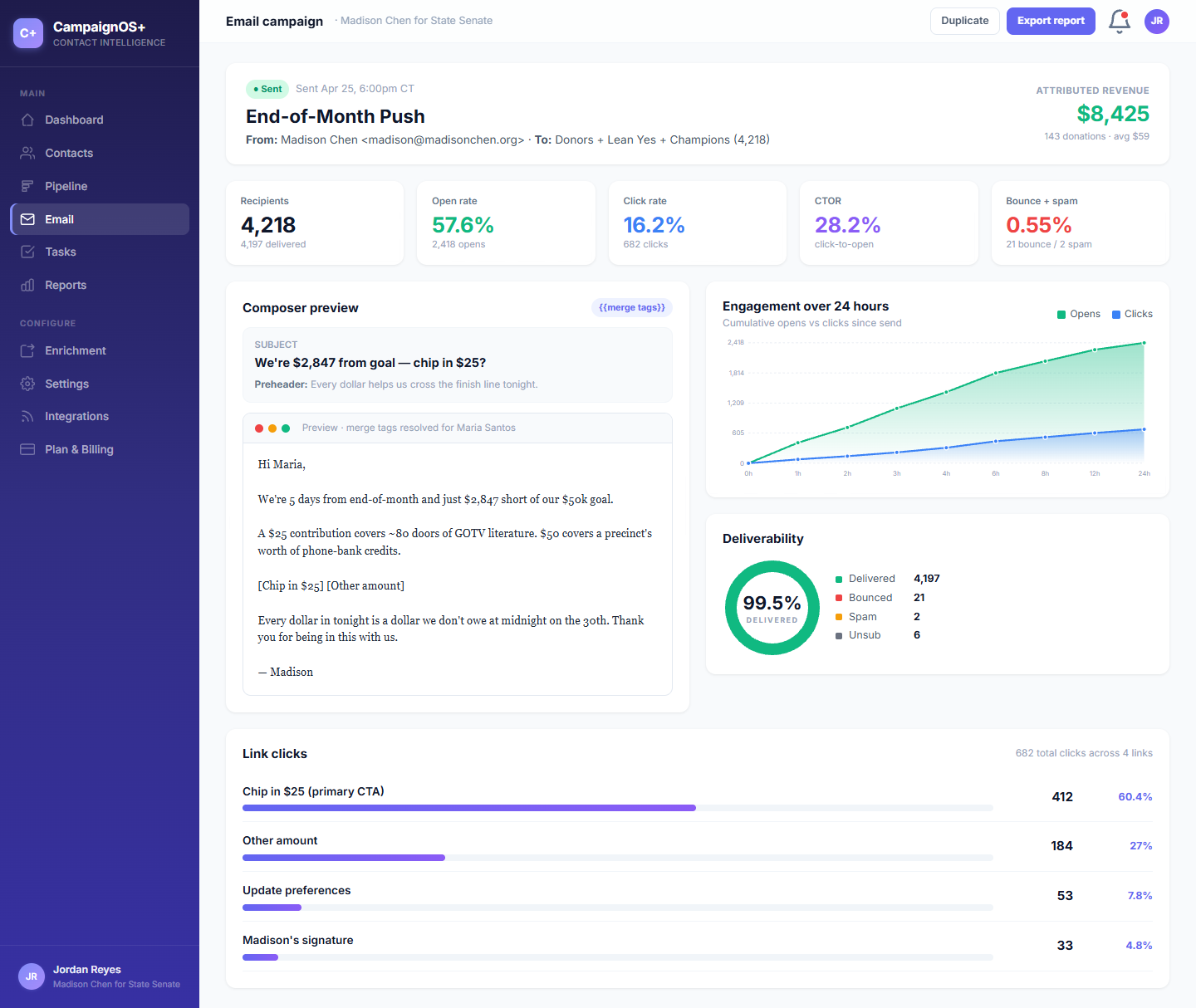
Write, send, and track email campaigns in CoreCNX. SendGrid reports each open, click, bounce, and unsubscribe, and each one appears on the contact's timeline just like a door knock or text reply. You do not need another tool to see whether Maria opened the email.
/C, REPORTS
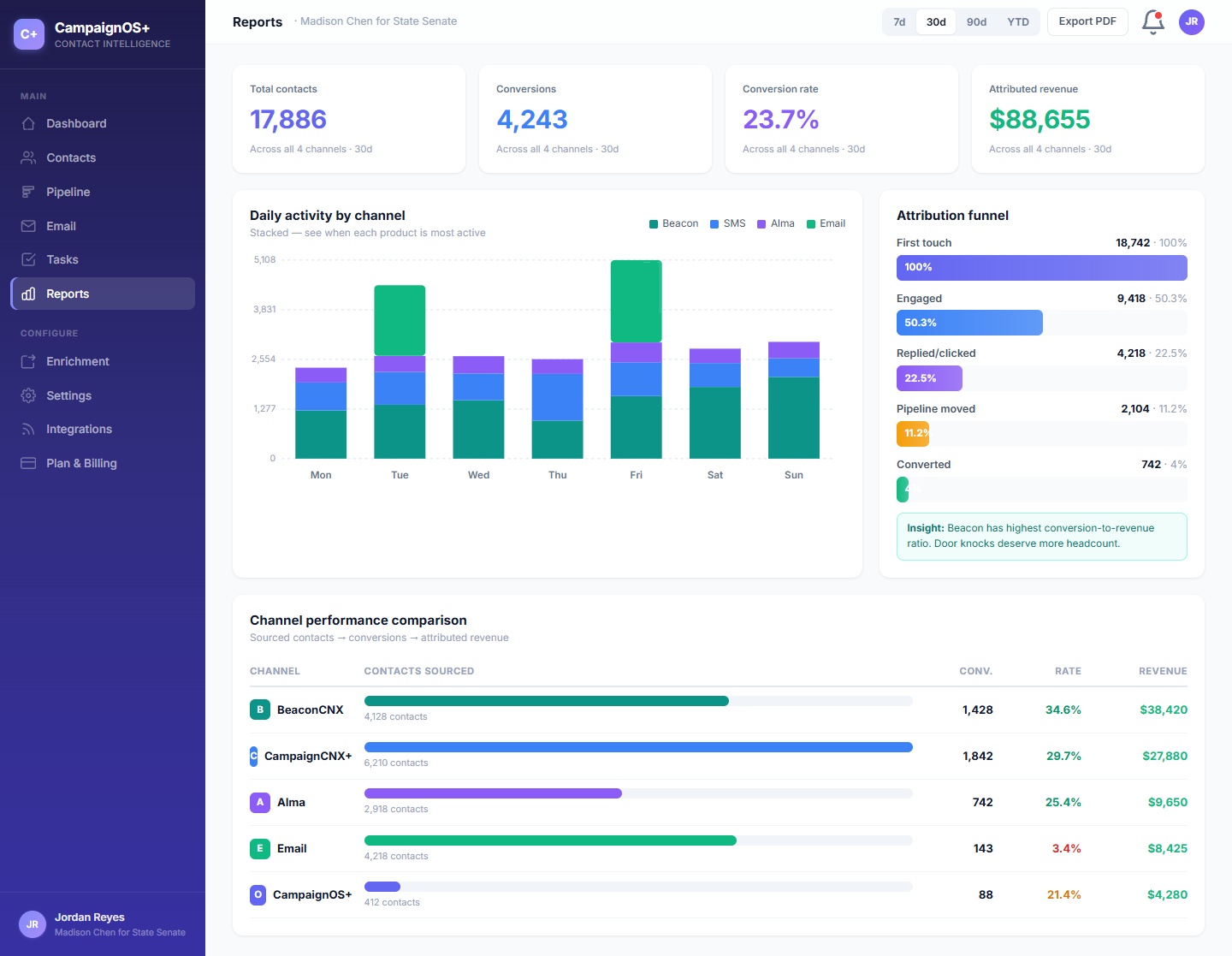
Reports show activity by source, how many contacts sit in each stage, and how long they stay there. They answer the questions a campaign director asks at the Monday-morning meeting.
CONTACTS · PIPELINE · EMAIL · REPORTS
Plans start at $49/mo for 5,000 contacts and include contacts, pipeline, email campaigns, and reports. Connect Beacon, CampaignCNX+, or Alma on any paid plan whenever you want.
Two ways to use it
CoreCNX works as a regular CRM from the start, with contacts, pipeline, email, tasks, and reports. Connect any suite product, and it also becomes a single timeline across all of them, which no other CRM in your category can offer.
A statewide campaign uses canvassing, texting, a website chatbot, and email at the same time. Every channel adds to the same contact record, so Maria Santos's history, from her first door knock onward, appears on one timeline.
For a law firm, a regional services business, or a small advocacy nonprofit using one channel, CoreCNX on its own provides contacts, pipeline, email, and tasks at a fraction of the price of Salesforce or HubSpot, without their lengthy setup.
ONE CONTACT · EVERY CHANNEL
Import your list, and every door knock, text, chatbot lead, and email will appear on the same contact's timeline. You can also use CoreCNX on its own for contacts and pipeline.
The CNX Suite
CoreCNX holds the central contact record. Beacon manages canvassing, CampaignCNX+ sends texts, and Alma is your website chatbot. You can buy all four on one bill and sign in to each with the same email address, and each product sends its activity to CoreCNX.
CRM & central record
Contacts, pipeline, email, and one timeline per contact, bringing together data from every product in the suite.
Field work
Territories, walk lists (the addresses a volunteer visits), door knocks, a canvasser mobile app, and live tracking. From $59/mo.
Texting
Mass text messages, two-way replies, and contact management. From $0.06/SMS.
Website chatbot
A website chatbot that asks your screening questions, collects visitor details, and adds each contact to CoreCNX.
Pricing
As with the rest of the suite, the bill grows only as your contact list grows. Each plan includes a set number of users, and suite integrations are unlimited. The 14-day free trial requires no credit card.
There are four paid plans: Starter at $49/mo (5K contacts, 5 users), Growth at $99/mo (15K, 10 users), Pro at $199/mo (50K, 20 users), and Enterprise at $499/mo (150K+ soft cap, white-glove service). Beacon, CampaignCNX+, and Alma connections are included on every paid plan. API access is available on Growth and higher.
Start with one source
Sign up, import a contact list, and move a contact to a new pipeline stage. The change appears on that contact's timeline. Connect a suite product when you are ready, or use CoreCNX on its own.